 BundleUp
  Cartify
  Vouch
Vouch AI sales chat for Shopify: what it should do and how to set it up
What a good AI sales assistant does for a Shopify store, what it must never do, and how to set one up with Vouch, step by step.
By the Rofsky Solutions team 5 min read

Shoppers ask questions before they buy. Will it fit? Is it safe for sensitive skin? What’s the difference between these two? On a busy store most of those questions go unanswered, and the shopper leaves to “think about it”.
An AI sales chat answers them on the spot. Done badly, it is a pushy bot that makes things up. Done well, it behaves like your best salesperson: it listens, knows the products and is honest about them. This guide covers what a good one should do, what it must never do, and how to set one up with Vouch.
What a good AI sales chat should do
- Know your products from your own content. Answers should come from your product pages, your policies and what you’ve told it, not from guesses.
- Ask before it recommends. When the need is unclear, one easy question (“Is it for you or a gift?”) beats a wall of text.
- Answer the real doubt. Fit, ingredients, compatibility, care. Short answers, in the shopper’s language.
- Use your reviews. “Most reviewers say it runs true to size” is more convincing than any claim you write yourself.
- Leave the decision to the shopper. Show the product and let them tap to add it. Never change the cart on its own.
- Hand over to a person when someone has a problem with an order or asks for the team.
What it must never do
- Invent discounts, gifts, “manager approval” or deadlines.
- Claim scarcity, popularity or urgency it can’t prove.
- Promise delivery times or return terms you haven’t set.
- Give medical or health advice, or guess a size from another product’s chart.
- Change, cancel or refund orders.
Vouch’s assistant is built around these rules. It truthfully says it is an AI if asked, and you decide which coupons exist and when they may be offered.
Step 1: give it real product knowledge
The first time you open Sales chat, Vouch starts with Prepare your sales assistant. Choose your products (up to ten per batch, active and published ones). Vouch reads each product page and asks you only the details it couldn’t find, one question at a time.
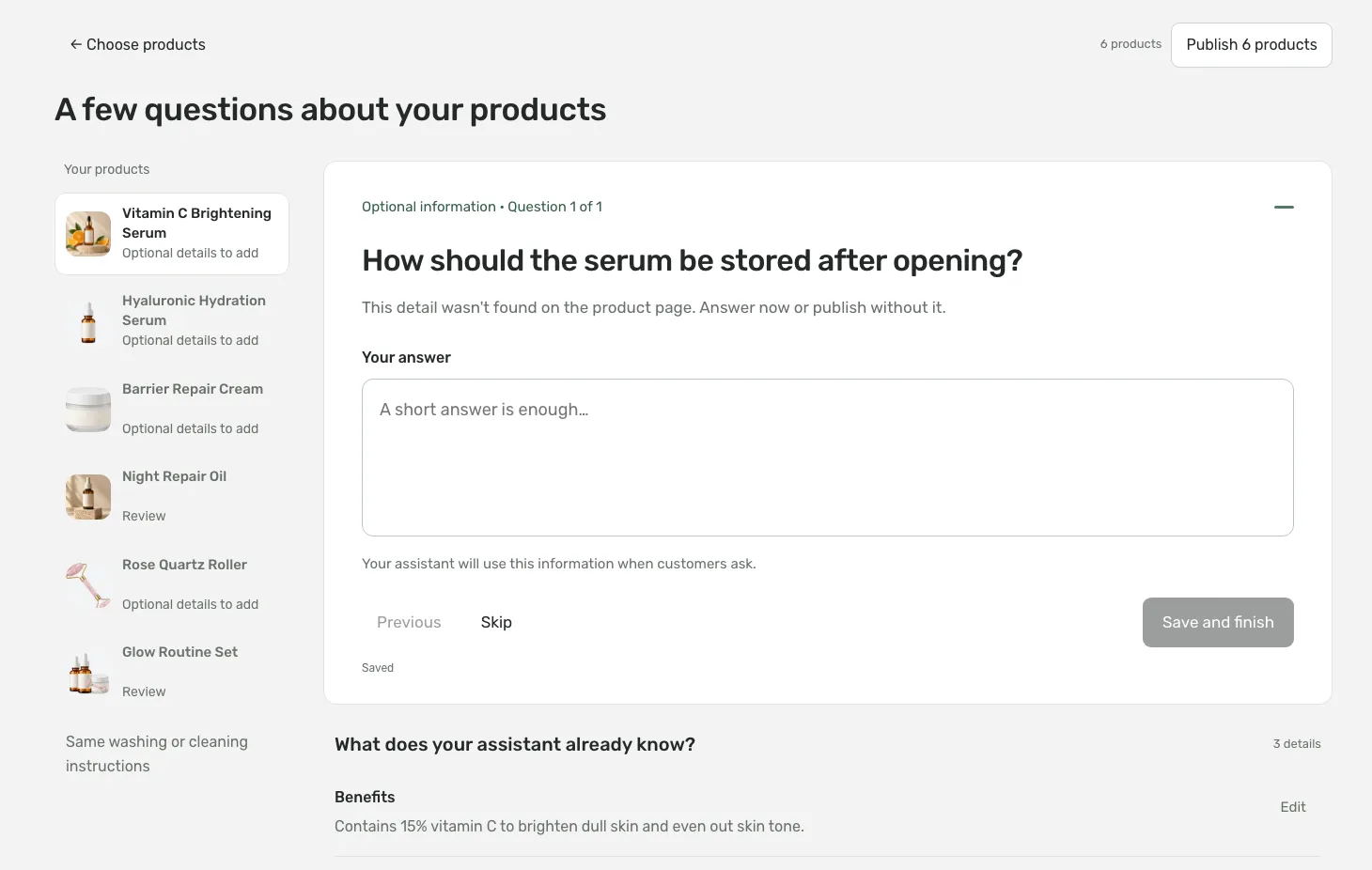
The product page didn’t say how to store the serum, so setup asks.
Answer, or skip. Skipped details stay unknown; the assistant never fills gaps with guesses. Analysis can take up to two minutes per product, your work is saved as you go, and nothing changes in your live chat until you press Publish knowledge.
Later, the Knowledge tab holds store-wide guidelines: brand voice, customers, store policies, boundaries and key facts. Product knowledge can be edited there too. One button, Save and publish, updates what the assistant knows.
Step 2: tell it who can help
The guided setup has five short steps, each with a live simulation beside it. The first is Who can help when needed? Add WhatsApp, email, a phone number, or all three. When a shopper needs a person, the assistant shares those contacts as tappable links.
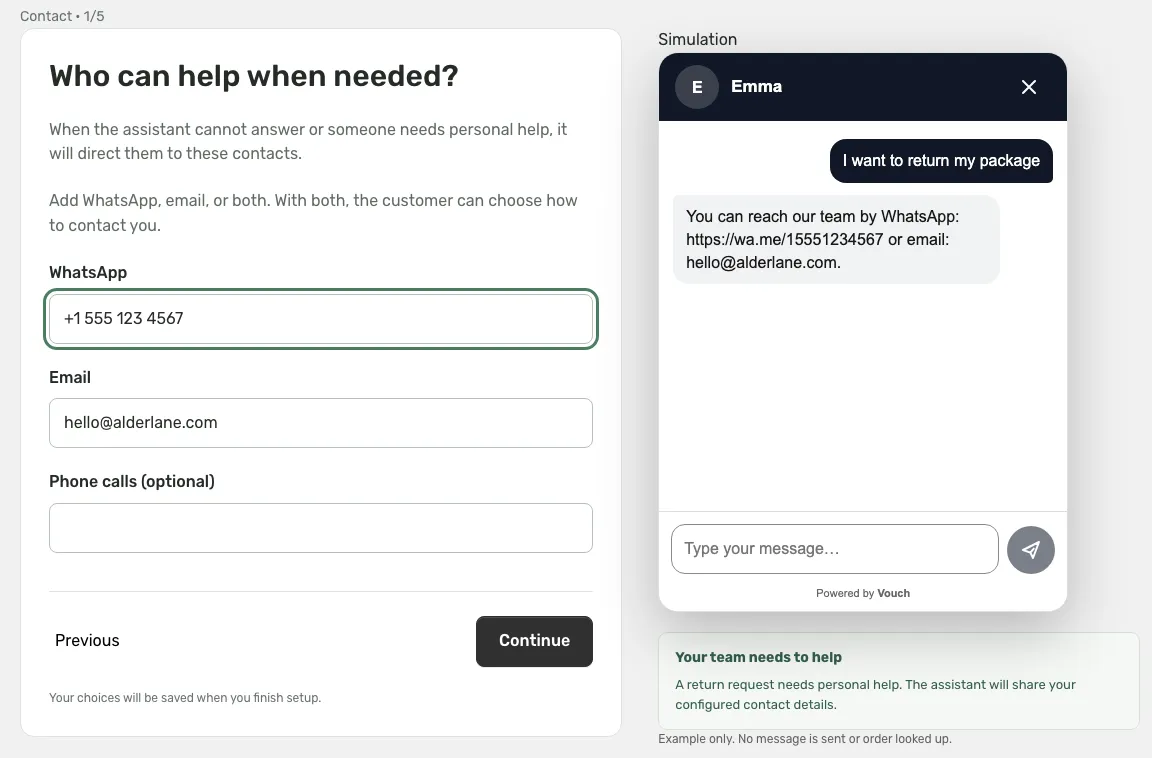
A return request needs a person, so the assistant shares your contacts.
Include the country code in phone numbers. A phone number alone does not enable WhatsApp, and your Shopify store email is never used automatically.
Step 3: order tracking and coupons
Order tracking is off by default. Turn it on and shoppers can ask “Where is my order?” in a normal message. The assistant asks for a tracking number, or the order number and the email used at checkout, and replies with the shipment status. These lookups are handled by fixed messages, so private order details stay outside the AI conversation.
Coupons are optional. You set the code, the percentage off and how many days it is valid, and you write when it may be offered.
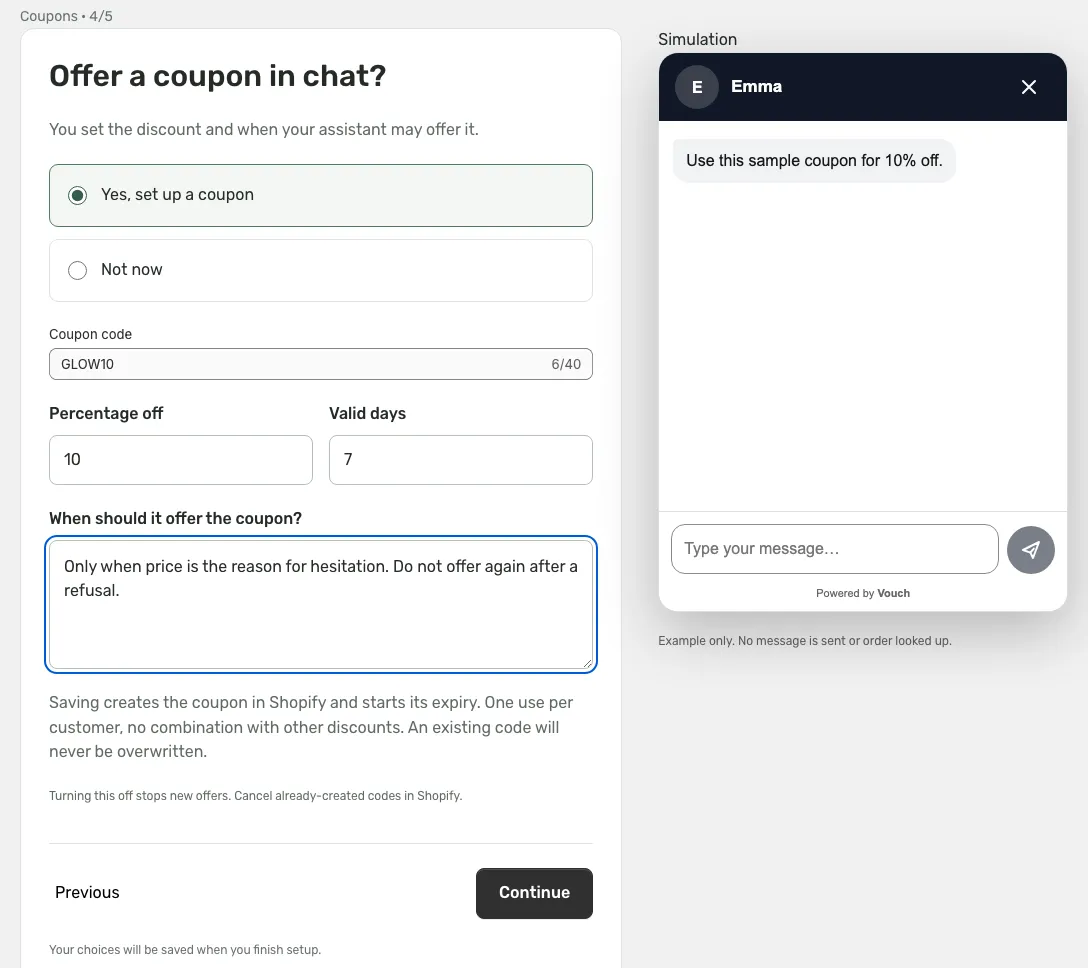
The rule decides when the coupon may come up. Vouch creates the code in Shopify when you save.
Vouch creates the code in Shopify when you save: one use per customer, no combining with other discounts, and it never overwrites a code that already exists. The last step, Returning customers, offers a coupon after a verified paid order during routine shipment tracking; it needs order tracking on.
Step 4: put it on your store
The last screen is Add chat to your store. Click Open theme editor: the Vouch AI sales chat app embed is already switched on there, but you still need to press Save. Back in Vouch, the status turns to “Enabled on the published theme”, and Finish turns the chat on.
Two switches are needed, and both must be on: the chat in Vouch, and the app embed in the published theme. If you later publish a different theme, turn the embed on there too.
Step 5: make it yours
The Settings tab has four cards, each with a live preview:
- Appearance: the assistant’s name and photo (one to six characters), the main color and the chat button text.
- First message: a greeting, or a short list of questions with saved answers. With a product selected, Generate questions with AI drafts them from that product’s knowledge.
- Display: which pages show the chat, the proactive greeting and its delay (12 seconds by default), and the button position.
- Sales & support: contacts, order tracking and coupons, the same as in setup.
Step 6: read what shoppers say
The Conversations tab shows every chat with its transcript, a funnel from opened chat to message to purchase, and which conversations led to a paid order. Chats are kept for 30 days.
Every 30 days you can also generate a customer insights report. It reads the last month of conversations and groups what shoppers struggled with, such as fit questions or unclear offer terms, with real quotes as evidence.
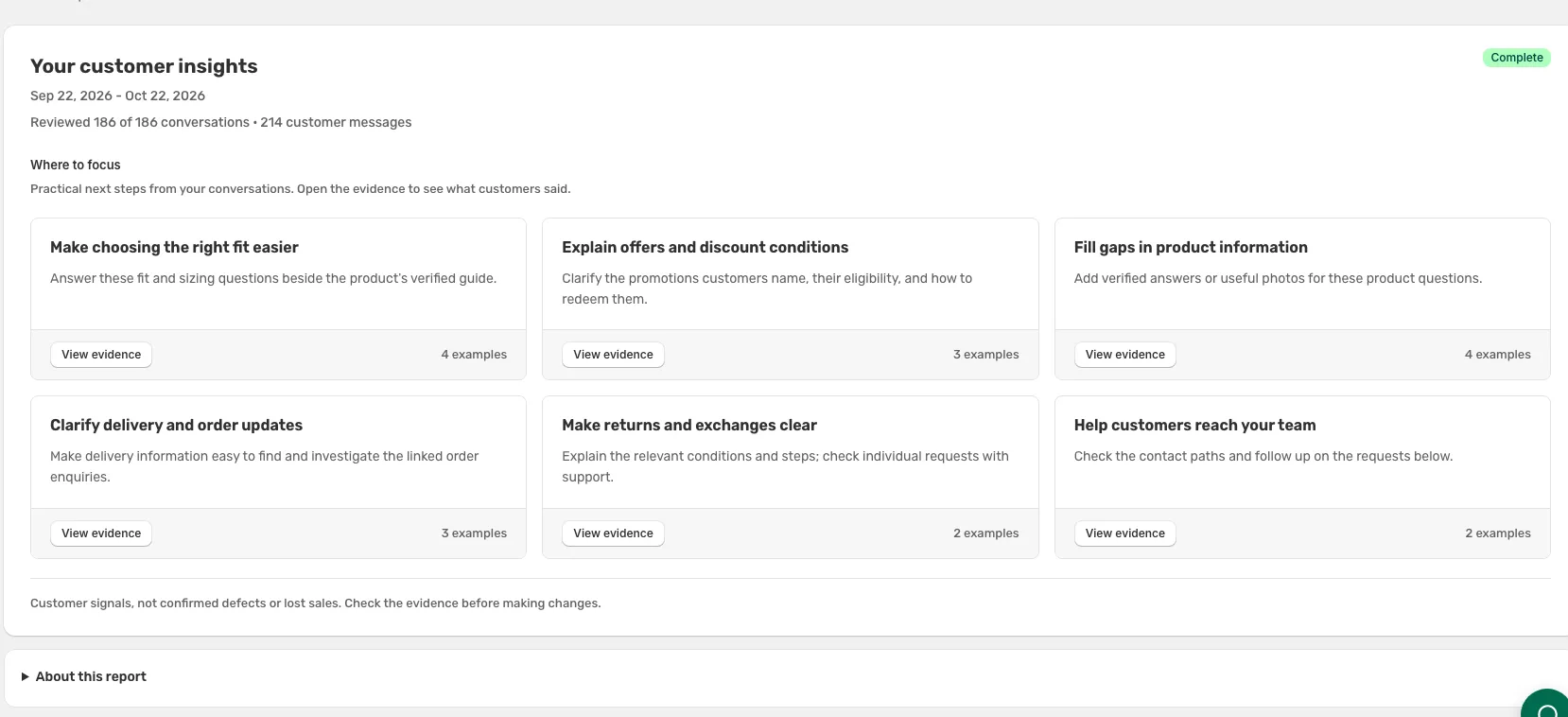
An insights report: where to focus, with the evidence one click away.
This is where an AI chat pays off twice. Even when a shopper doesn’t buy, you learn which question your product page failed to answer, and you can fix the page.
How to test it properly
The proactive greeting appears only on product pages, after the shopper scrolls, taps or types and the delay has passed, once per browser session, and never when the shopper declined analytics cookies. A small share of visitors is held back with no pop-up so you can compare. Test in a private window, scroll a little and wait.
Ask the questions your customers really ask, including the awkward ones: “Is this cheaper anywhere?”, “Will it arrive by Friday?”, “Can I return it?”. A good assistant answers from your policies, or says it doesn’t know and points to your team.
FAQ
- Is an AI sales chat the same as a support chatbot?
- No. A support bot answers questions about orders and policies. A sales assistant also helps the shopper choose: it asks what they need, answers doubts about the product and recommends the right one. A good one does both and knows when to hand over to a person.
- Where does Vouch's assistant get its answers?
- From your product pages, the product knowledge you publish in Vouch, your store guidelines, BundleUp offers on the page, and the product's Vouch reviews: the average rating, the review count and up to six approved reviews.
- Can the AI give discounts on its own?
- No. It can offer only a coupon you set up, under the conditions you write, such as only when price is the reason for hesitation. It does not invent discounts, gifts or urgency.
- Can it look up an order?
- Yes, if you turn on order tracking. The shopper gives a tracking number, or an order number and the email used at checkout, and the assistant replies with the shipment status. Order details are kept out of the AI conversation.
- Why doesn't the greeting pop up when I test it?
- The proactive greeting shows only on product pages, after the shopper scrolls or taps and the delay passes (12 seconds by default), once per browser session, and not when analytics cookies were declined. A small share of visitors gets no pop-up by design. Test in a private window.
 BundleUp · 6 min
 Cartify · 5 min
 Vouch · 4 min